


How does an AI video generator work?
An AI video generator is software that turns text, images, or audio into a finished video using artificial intelligence. The AI handles all steps: picking visuals, writing or reading a script, syncing captions, adding music, and sometimes generating fully original footage frame by frame.
With such video creation tools, affiliates and media buyers can generate AI videos in minutes, at a fraction of the cost of hiring a production team.
What is RichAds?
Ad network for telegram ads,
high quality push and popunder ads,
domain redirect, native and display traffic source,
buy push ads at $0.005 (CPC), pop ads at $0.5 (CPM),
domain ads costs start from $1.5 (CPM), native ads — from $0.001 (CPC),
ad network offers large volumes of traffic in more than 200 geos from Tier 3 to Tier 1.
Types of AI video creation tools
There are many AI video makers on the market, with varying levels of automation, feature sets, and performance. However, the main difference is in the input — whether you start with text, an image, or a script — and that divides all AI video generators into three categories:
Text-to-video
You type a prompt describing a scene, and the AI generates an original video. This is the newest and flashiest category. Such AI video tools work best for cinematic, highly specific visuals that don’t exist as stock footage. However, they are still not 100% accurate with things like hands, fast motion, and lip-sync.
Image-to-video
You upload a photo, and the AI animates it into a short video clip. AI video generators from images are especially popular for E-commerce video creatives and social media ads.
Script-to-video
You paste in a script, and the AI matches it with stock footage, AI voiceover, captions, and music to automatically build a complete video. These AI video generators offer maximum automation, making them the top choice for marketers and affiliates.
Top 12 AI video generation tools for affiliates
We’ve researched many AI tools for video creation, asked our advertisers which ones they use, and determined the 12 best AI video generators for affiliates.
You can check out the best AI for video creation in our clean comparison table:
| Tool | Starting Price | Max Resolution | Max Clip Length | Best Use |
|---|---|---|---|---|
| InVideo AI | ~$25/month | 4K on higher tiers | Video length matches your script | Fully automated marketing videos |
| CapCut | Free | 4K export | No fixed cap for edited videos; AI-generated clips run ~5–10 sec | Mobile & social media clips |
| Synthesia | ~$29/month | Full HD | Plan-capped by monthly minutes | Corporate & training videos |
| Kling AI | ~$7–10/month | 4K | 15 sec per generation | Realistic motion & cinematic social clips |
| HeyGen | ~$29/month | 4K on higher tiers | Up to 60 minutes per generation (Business) | Beginner-friendly & multilingual avatar video |
| Pictory | ~$29/month | 1080p (Professional) | ~30 min | High-volume content repurposing |
| Adobe Firefly | Free | 1080p native (up to 4K via partner models) | 5 sec native | Commercially safe short clips |
| Fliki | ~$21–28/month | 1080p | No fixed cap | Voice-driven & multilingual content |
| Lumen5 | ~$19/month | HD on Pro tiers | No fixed cap | Blog-to-social video |
| Canva | Free | 4K on Pro exports | AI clips are 8 sec | Teams already working inside Canva |
| Runway | ~$15/month | 4K (Pro/Enterprise) | 5–10 sec per generation (chainable to ~20–60 sec) | Original, cinematic clips |
| VEED | ~$12–24/month | 1080p | No fixed cap for edited videos | Editing and captions for social |
To help you make an informed choice, let’s learn about each AI clip maker in more detail.


1. InVideo AI
InVideo takes a script or a simple prompt and turns it into a full video with scenes, voiceover, and music, using a library of 5,000+ templates and a large stock video catalog. It also has an AI script generator, so you can go from a one-line idea and let the AI finish the draft.
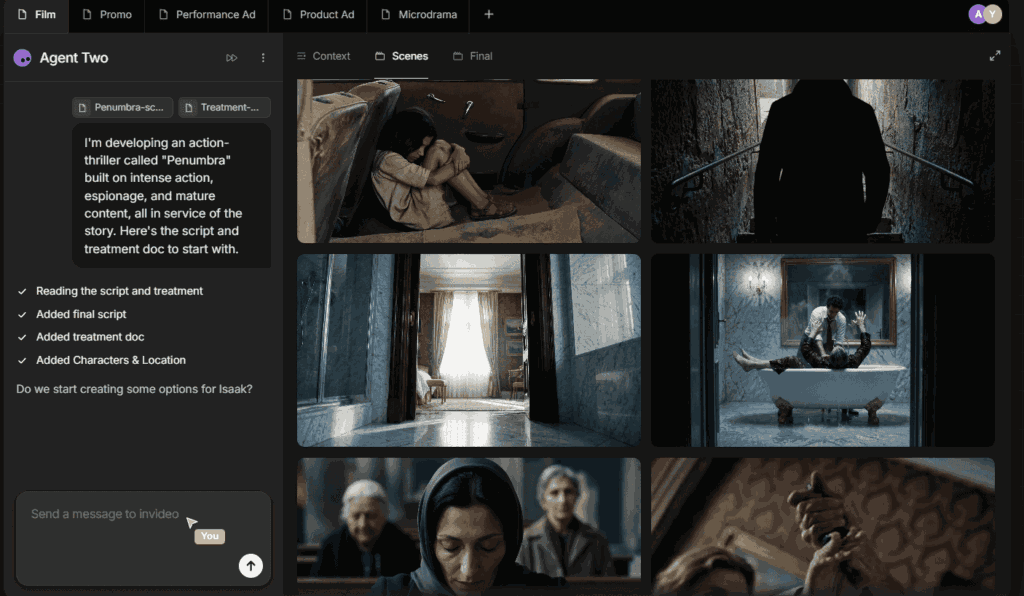
With InVideo AI, you can generate a video in seconds from nothing more than a one-line idea. Once the first cut is ready, you can edit scenes, swap clips, and adjust text inside the InVideo browser-based editing tools.
Key features:
- AI script writer
- 5,000+ templates
- Text-to-video and article-to-video modes
- Built-in stock footage and music library
- Voiceover in multiple languages
- Brand kit for consistent colors, fonts, and logo
Pricing:
Free plan available with watermark and limited exports. Paid plans start around $25/month. Higher tiers unlock more export minutes, premium stock assets, and team seats.
What affiliates say:
InVideo is the top choice for someone who wants a finished, publish-ready video without doing any manual work. It doesn’t deliver the most premium output, but for speed and price, it’s hard to beat. It also has one of the top video affiliate programs, so you can try the tool and make money on its promotion.
2. CapCut
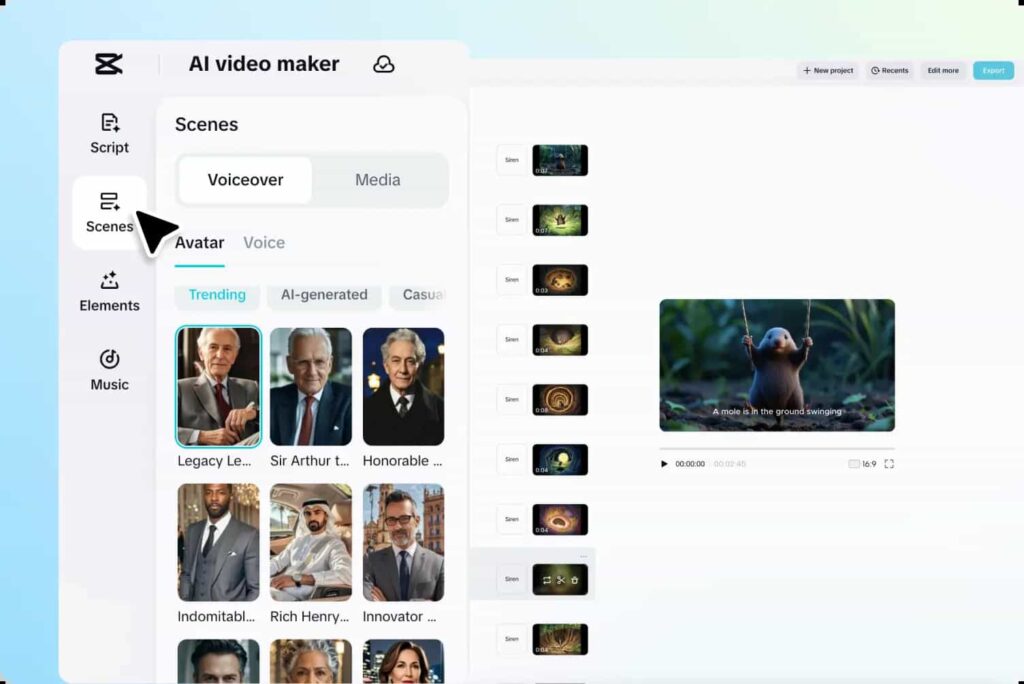
CapCut started as a mobile editing app and grew into a full AI video maker. It’s the best free AI video generator, featuring auto-captions, background removal, AI avatars, and text-to-video mode, all in one platform that runs on phone, desktop, and web.
Key features:
- Auto-captions with style presets
- AI background removal
- AI avatars
- Voiceover
- Text-to-video generation
- Template library built for TikTok, Reels, and Shorts aspect ratios
- Basic timeline editing tools
Pricing:
The app is free, and the desktop version exports without a watermark. However, for extra AI credits, premium effects, and cloud storage, you’ll need a CapCut Pro – the price starts around $20/month.
What affiliates say:
If you’re creating on your phone, CapCut is the one to have installed. No fees and watermark-free exports alone make it worth trying. It’s a good option for quick creations, even if you use something else as your primary video-generation tool.
What is RichAds?
Ad network for telegram ads,
high quality push and popunder ads,
domain redirect, native and display traffic source,
buy push ads at $0.005 (CPC), pop ads at $0.5 (CPM),
domain ads costs start from $1.5 (CPM), native ads — from $0.001 (CPC),
ad network offers large volumes of traffic in more than 200 geos from Tier 3 to Tier 1.
3. Synthesia
Synthesia is an AI avatar generator that specializes in realistic digital presenters who read your script on camera. You pick an avatar, paste a script, choose a language, and the tool generates an AI talking avatar video in minutes. You can also import PowerPoint slides directly into a video creative.
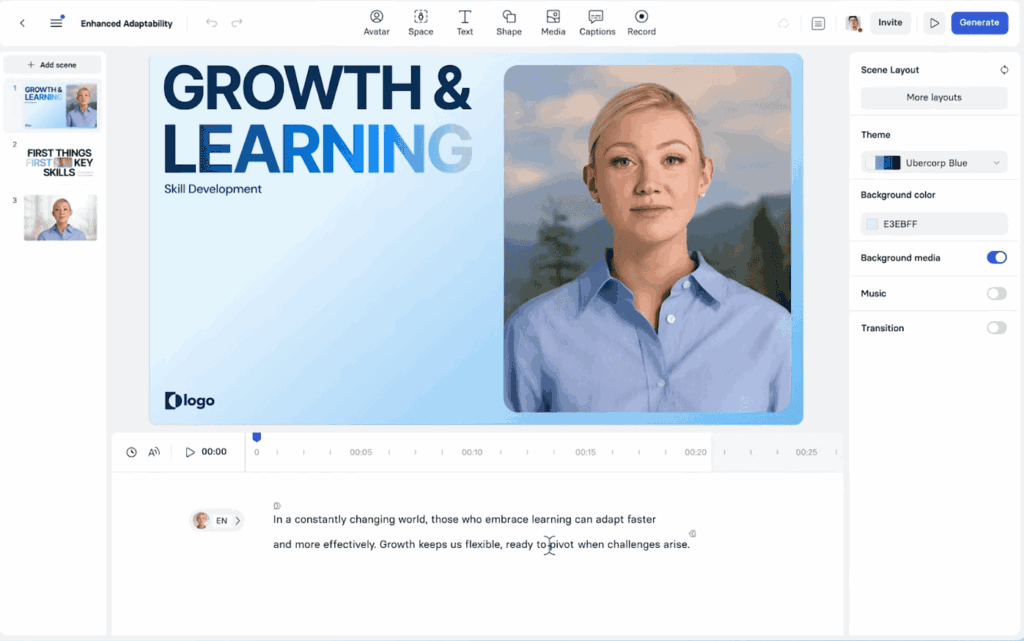
Key features:
- 240+ stock AI avatars
- Custom avatar creation
- 160+ languages and accents
- PowerPoint-to-video import
- Speaker notes
- Screen recording tool
- Brand templates
Pricing:
Free trial available. Paid plans start at around $29/month, with a monthly cap on videos. Higher tiers add more video minutes, custom avatars, and API access.
What affiliates say:
Synthesia is the safe pick when a video needs to look corporate and polished. You can create training content, explainers, or product walkthroughs with a “real person on screen” to build trust. It’s pricier than most other AI video creation tools, but you’re paying for performance and realism.

4. Kling AI
Kling AI is a text-to-video and image-to-video generator built by Kuaishou, one of China’s largest short-video platforms. It offers unusually smooth motion and strong physics simulation, so objects and people move very naturally.
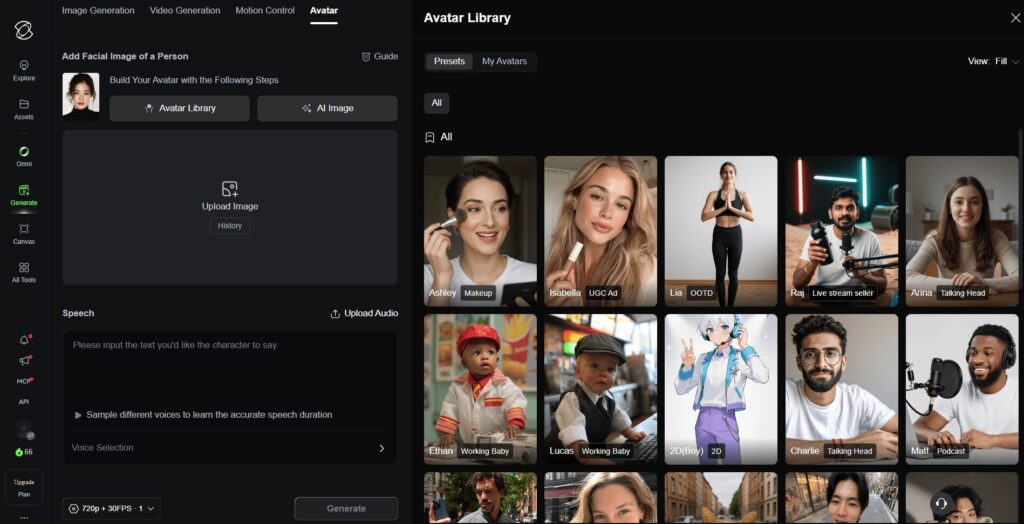
Kling also handles native audio generation and multi-shot storytelling, so you can chain several connected shots into one continuous scene.
Key features:
- Text-to-video and image-to-video generation
- Native 4K output
- Physics-accurate motion
- Character consistency
- Native audio generation with lip sync
- Multi-shot storytelling (up to 6 connected shots)
- Cinematic camera motion control
- AI digital humans
Pricing:
The free tier gives daily login credits but no commercial usage rights. Paid plans start at $7–10/month (Standard), with Pro around $26/month, Premier around $65/month, and an Ultra tier at $128/month for professional creators. Pricing is based on a credit system, so costs scale with clip length, resolution, and audio usage.
What affiliates say:
Kling is one of the top choices for cinematic video output, especially if Runway-quality motion feels out of budget. The entry tier is cheap for what you get, but you should watch the credit system, because audio generation, for example, can double the cost.

5. HeyGen
HeyGen excels at AI avatars and voice cloning, using multiple AI video models, including Seedance 2.0 and Veo 3.1. You can also create B-roll footage inside its own editor.
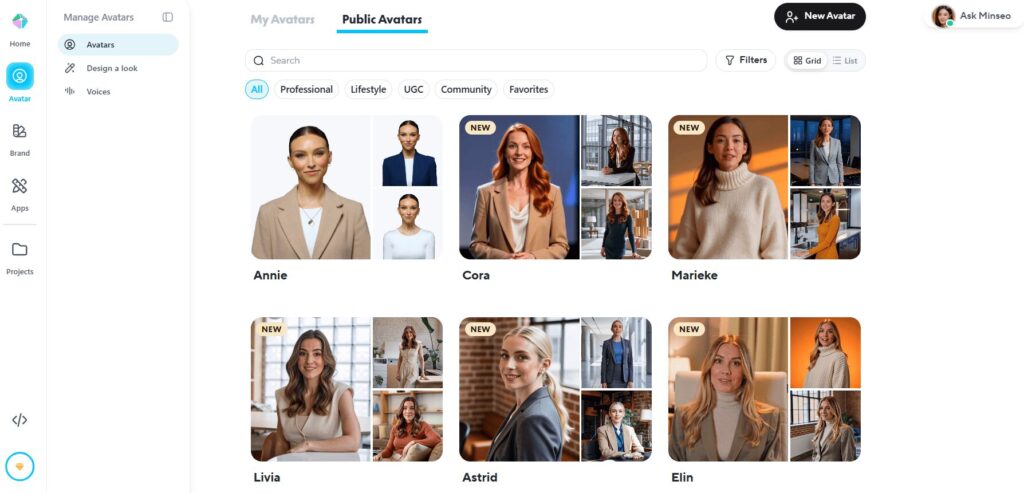
The platform is simple to use, while offering high-quality video and advanced AI features. You can quickly turn text into video and edit everything in detail to produce a polished video.
Key features:
- AI avatars
- Instant avatar cloning
- Voice cloning
- 175+ languages for dubbing and translation
- Video Agent for AI-generated B-roll
- Full editing studio
- Unlimited videos on paid tiers
Pricing:
HeyGen has a features-rich free plan you can use for daily tasks. Paid plans start at around $29/month and offer access to unlimited 1080p videos. Higher tiers add avatar cloning and API access.
What affiliates say:
HeyGen is the go-to option for beginners. Compared to Synthesia, for example, it gives you more for free. The multilingual dubbing is a particularly useful feature, as it lets you run the same ad creative across multiple GEOs.
What is RichAds?
Ad network for telegram ads,
high quality push and popunder ads,
domain redirect, native and display traffic source,
buy push ads at $0.005 (CPC), pop ads at $0.5 (CPM),
domain ads costs start from $1.5 (CPM), native ads — from $0.001 (CPC),
ad network offers large volumes of traffic in more than 200 geos from Tier 3 to Tier 1.
6. Adobe Firefly
Adobe Firefly is Adobe’s generative AI tool, with text-to-video and image-to-video modes. Because it’s trained only on licensed and public-domain content, it’s a commercially safe option for video creation.
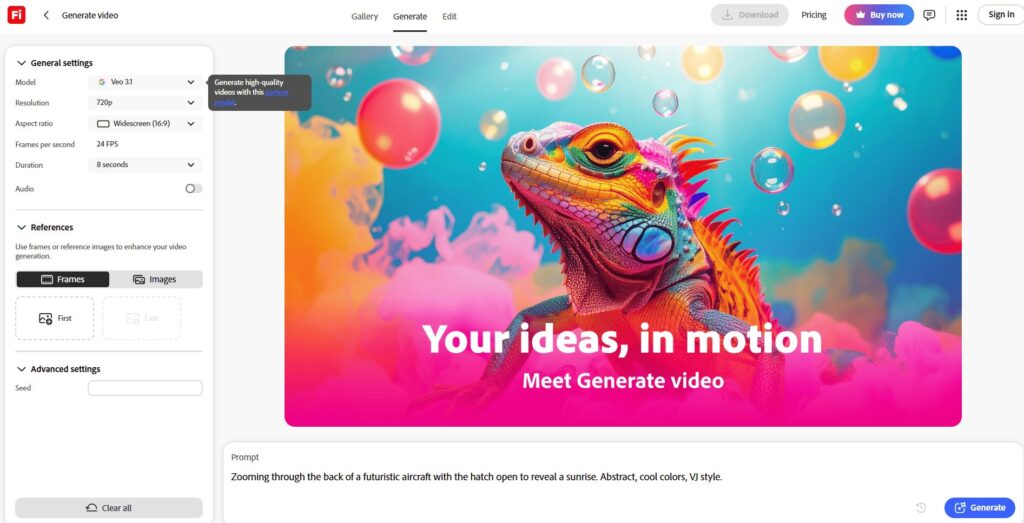
Adobe Firefly is built into the Adobe ecosystem, so it plugs directly into Photoshop, Premiere, and Adobe Express. It’s a convenient and powerful AI video tool for Adobe users.
Key features:
- Text-to-video and image-to-video generation
- Sound effect generation
- Video translation
- Text-to-avatar
- Commercially safe training data
- Integration with Photoshop, Premiere, and Adobe Express
- Access to multiple third-party AI models in one workspace
Pricing:
The free plan gives you daily credits and watermarked output. Firefly Standard starts at $9.99/month, Pro runs $19.99/month, and Pro Plus reaches $49.99/month for high-volume studio use.
What affiliates say:
Adobe Firefly is a top pick if you’re already inside Creative Cloud. It also has a genuine advantage for client-facing work, if you don’t want to run into copyright disputes. However, credits run down fast, so you can’t use the free option on a scale.

7. Runway
Runway is one of the most notable AI video creation tools. It can generate footage that doesn’t exist in stock, offering various editing features like camera controls, motion brushes, and even custom AI model training.

The tool uses generative AI and a generative video model called Gen-4.5 to help you create original video clips from a text prompt. It’s designed for creative, cinematic output, not for just stitching together stock clips.
Key features:
- Generate a video from a text prompt or a single image
- Camera movement controls
- Motion brushes
- Generative editing
- Custom model training
- Built-in sound effect generator for adding audio layers
Pricing:
The Free tier provides 125 one-time credits, which are enough for roughly 2–3 short test clips. Standard plan starts at $15/month. Higher tiers provide access for longer clip creation, faster generation, and better video results.
What affiliates say:
Runway is the top AI movie maker when stock footage can’t deliver what you need. If you want a specific scene, mood, or camera move that doesn’t exist anywhere else, try Runway.
8. Pictory
Pictory automatically turns blog posts or scripts into videos. It picks matching clips from a stock library of millions of assets and adds AI voiceover, auto-captions, and background music. You can also feed the tool a long video and have it cut highlight clips.
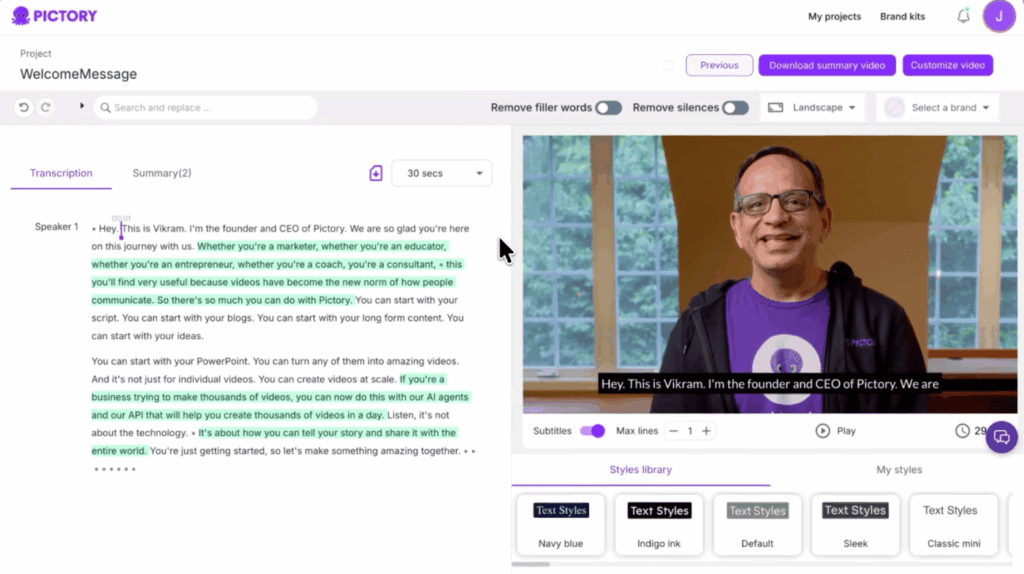
This AI video generator produces video output ready for social media and suits teams’ daily work.
Key features:
- Article-, blog-, script-to-video modes
- Long-form-to-shorts repurposing
- AI voiceover with 34+ voices
- Auto-captioning
- Branded video templates
- Optional Getty Images and ElevenLabs voice add-ons
Pricing:
Pictory offers only a limited number of trial projects for free. Standard plan starts around $29/month, Professional runs $59/month, and Teams plans start at $199/month for multiple seats.
What affiliates say:
Pictory is built for volume. If you’re repurposing blog content or product reviews into video on a daily basis, this is the tool you need. However, don’t expect top-tier video quality.
What is RichAds?
Ad network for telegram ads,
high quality push and popunder ads,
domain redirect, native and display traffic source,
buy push ads at $0.005 (CPC), pop ads at $0.5 (CPM),
domain ads costs start from $1.5 (CPM), native ads — from $0.001 (CPC),
ad network offers large volumes of traffic in more than 200 geos from Tier 3 to Tier 1.
9. Fliki
Fliki is a text-to-video AI tool that turns scripts into narrated clips. It offers over 1,000 AI voices across 80+ languages and dialects, plus voice cloning on high tiers.
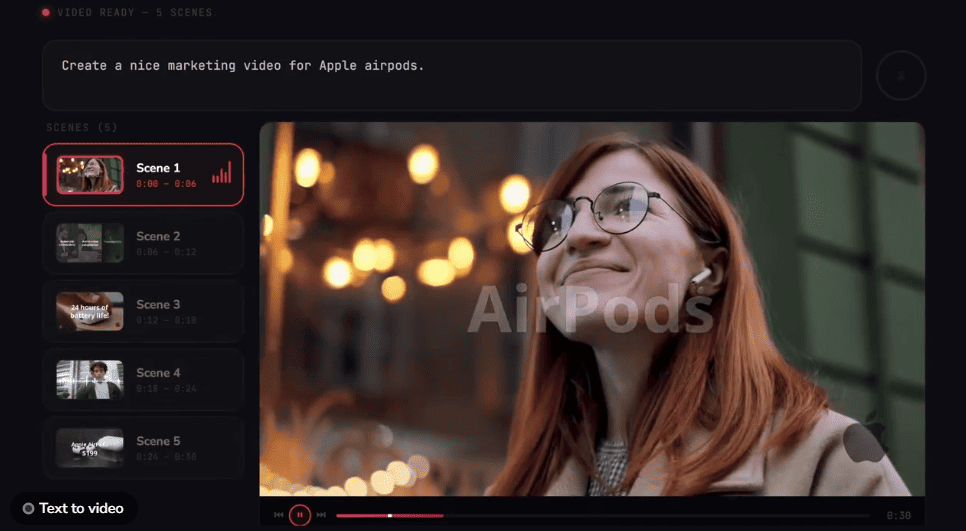
Fliki is a popular AI clip generator for voiceovers. It transforms text into video, auto-matching stock visuals to your writing.
Key features:
- Text-to-speech with 1,000+ voices
- Voice cloning
- 80+ languages
- Blog-to-video conversion
- Stock media library
- Commercial usage rights on paid plans
Pricing:
The free plan gives about 1 minute of video per month with a watermark and no commercial rights. Standard pricing is around $21–28/month for roughly 180 minutes of content. Premium plan runs $66–88/month for extended limits, voice cloning, and priority rendering.
What affiliates say:
Fliki wins when the voiceover quality matters more than the visuals. If you do narrated explainers, audiobook-style content, or multilingual voice-driven ads, it’s one of the best AI video generators.

10. Lumen5
Lumen5 converts blog posts or plain text into scene-by-scene videos. It uses its Brand Kit system to keep colors, fonts, and logos consistent across every video you publish.
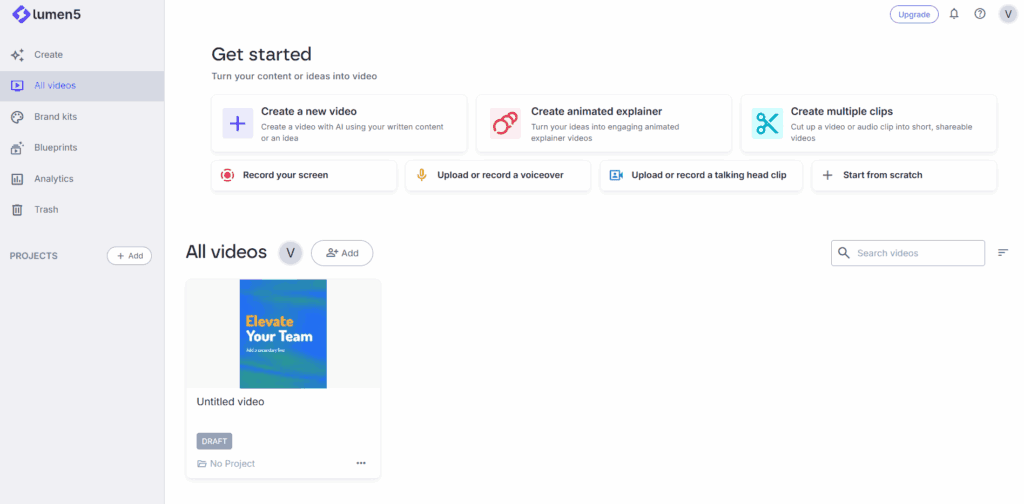
Lumen5 also has an AI Script Composer that can generate a full video script from just a topic or a few bullet points. There is also AI-generated voiceover included on higher tiers.
Key features:
- Blog- and URL-to-video conversion
- AI Script Composer
- Brand Kit for visual consistency
- Large stock media and music library
- Template-driven scene builder
Pricing:
Paid plans start at $19/month and allow 720p export. Higher tiers unlock HD export and more brand kits.
What affiliates say:
Lumen5 is the best AI video maker if you just need to transform text into a video. It’s genuinely good at that one job, especially for news-style or top-of-funnel social video content, but it’s less flexible outside that task. If you need more functionality, you may need to buy multiple AI video subscriptions.
11. Canva
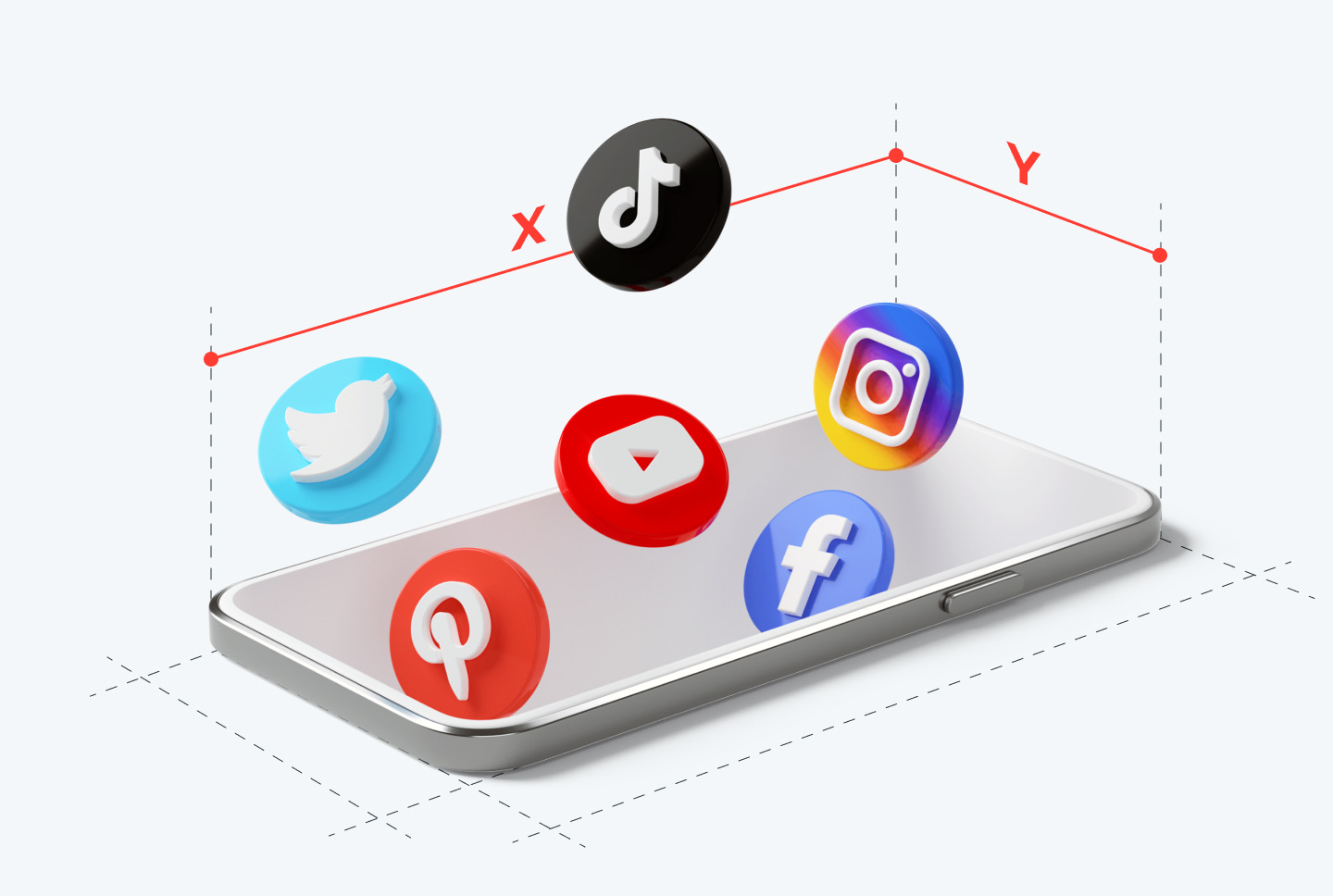
Canva is an established brand in the creative industry, and now it works as an AI video creator platform as well. If you’re already building graphics or ad creatives there, the learning curve is straightforward.
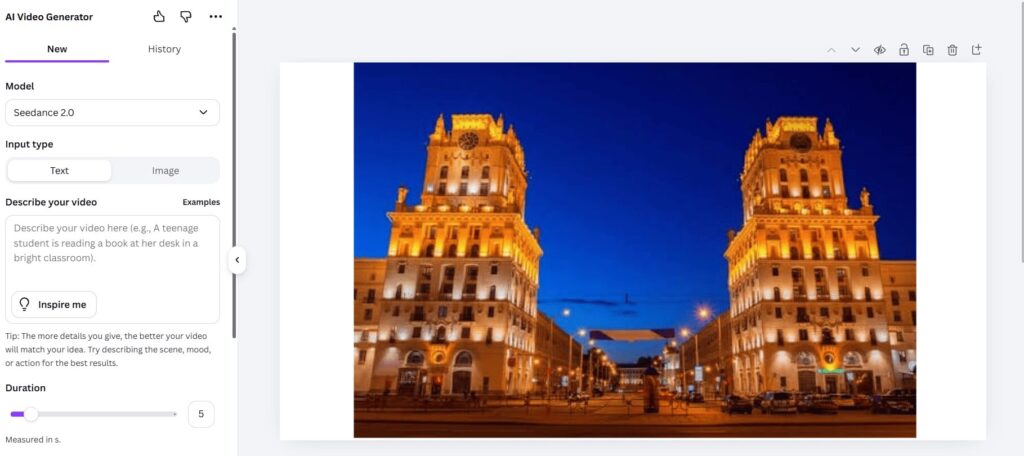
Ultimately, video is just another tab, with the same drag-and-drop editor and template system. However, Canva has strict limits – it creates video clips only 6 seconds long with no sound or 8 seconds long with sound.
Key features:
- AI video generator from image or text
- Thousands of video templates
- Stock footage and audio library
- Brand kit
- Easy resizing across platforms and aspect ratios
- Team collaboration
Pricing:
Free plan available, but limited to 200 AI-generated clips per year. Canva Pro starts at $18/month for an individual, unlocking more AI credits and premium assets. Teams plans cost more.
What affiliates say:
Canva is the low-effort choice for affiliates who use this platform for other tasks. It won’t outproduce dedicated AI video creation tools, but its price and familiarity make it an easy add-on.
12. VEED
VEED is one of the best AI video editing tools. It has many AI-powered features, including auto-subtitles, AI avatars, translation, and background removal. It also has added a full AI video generator tool recently.
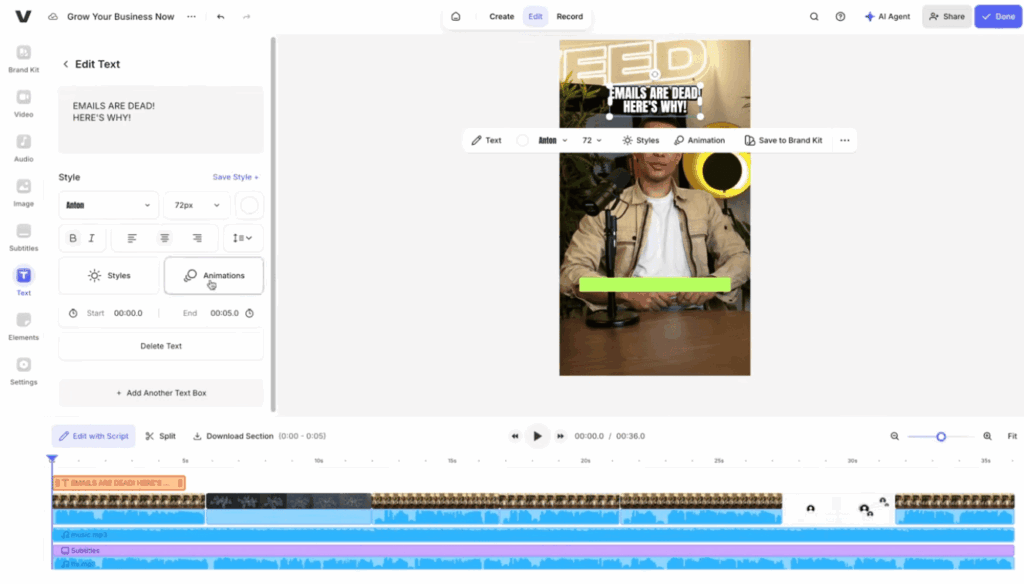
VEED was more of a classic video editor, allowing you to adjust an existing video only, not generate a new one from scratch. Now, the tool has integrated advanced generative models like Sora 2/Sora 2 Pro, Google Veo 3/3.1, Kling AI, Seedance, LTX, MiniMax, and Fabric 1.0, turning it into a powerful text-to-video AI video creation platform.
Key features:
- Timeline-based editing
- Auto-subtitles and captions
- AI avatars
- AI Clips
- Video translation
- Background removal
- Screen recorder
- Brand kit
Pricing:
The free plan comes with a watermark and usage limits. Lite plan starts at $12/month with 1080p export. Higher tiers allow for more export minutes, translation credits, and team features.
What affiliates say:
VEED is the middle ground between “fully automated” and “full editor control”. You can adjust the aspect ratio, turn a long video into a short clip to post on social media, add B-roll, apply intros from your saved asset library, and do many other small and big edits to achieve a desirable result.
What is RichAds?
Ad network for telegram ads,
high quality push and popunder ads,
domain redirect, native and display traffic source,
buy push ads at $0.005 (CPC), pop ads at $0.5 (CPM),
domain ads costs start from $1.5 (CPM), native ads — from $0.001 (CPC),
ad network offers large volumes of traffic in more than 200 geos from Tier 3 to Tier 1.
Best AI video makers for different use cases
The choice of the “best” platform depends on what you’re producing and who it’s for. For quick picks, you can rely on this matching list:
- Best AI video generator for beginners – HeyGen. It offers a generous free plan, avatars ready in minutes, and no learning curve.
- Best AI clip maker for social media – CapCut. A free, mobile-native tool, built for TikTok and Reels formats.
- Best AI video creation tool for marketing content – Pictory. It ensures fast repurposing of existing written content at scale.
- Best AI tool for mobile use – CapCut. The only tool on this list that was built mobile-first from day one.
- Best AI for commercial work – Adobe Firefly. It uses licensed Adobe Stock photos, protecting your work from copyright complaints.
- Best AI video generator for multilingual campaigns – Fliki. It offers dubbing and voice options across 80+ languages.
- Best AI video creator for cinematic footage – Runway. A professional-level text-to-video generation with customization.
- Best AI video generator for explainer video – Synthesia. An abundance of polished AI avatars for realistic videos.
- Best fully automated AI video creation tool – InVideo AI. It offers a full feature set, helping you create a video from a one-sentence idea.
Conclusion
Every tool on our list excels at a specific task, but they all rely on advanced AI video generation models and make video production fast, easy, and accessible for all. Pick based on the job you need to do, and get your first video creatives.
Once you’ve got a bunch of video ads ready, go to the RichAds video ad network to launch a pre-roll campaign. With a wide GEO coverage, detailed targeting, personalized support, and advanced optimization tools, you can turn your AI-generated videos into real conversions.
What is RichAds?
Ad network for telegram ads,
high quality push and popunder ads,
domain redirect, native and display traffic source,
buy push ads at $0.005 (CPC), pop ads at $0.5 (CPM),
domain ads costs start from $1.5 (CPM), native ads — from $0.001 (CPC),
ad network offers large volumes of traffic in more than 200 geos from Tier 3 to Tier 1.

FAQ on AI video creation
The RichAds ad network team names 12 brands: InVideo AI, CapCut, Synthesia, Kling AI, HeyGen, Pictory, Adobe Firefly, Fliki, Lumen5, Canva, Runway, and VEED. They are the top options in 2026, offering powerful AI features and producing high-quality video.
There’s no single winner, because the choice always depends on the task. For example, HeyGen is the strongest pick for beginners; Runway and Kling AI are the best for original, cinematic footage; CapCut is the best AI video generator for social media, etc.
The RichAds ad network team provides a list of matches to help you choose the best tool for your task.
Yes. Image-to-video tools like Runway, Kling AI, and Adobe Firefly animate a photo, adding camera movement, motion, or effects. This approach is particularly popular for product shots and social ads.
The choice depends on your needs. The RichAds ad network team highlights CapCut as the best free, mobile-first video maker for social content; InVideo AI as the best pick for a fully automated, publish-ready video; Runway as the best AI video maker for cinematic video; and many other “best” for specific tasks.
Not yet. Most AI tools generate short clips, from a few seconds up to a couple of minutes. However, those can be stitched together to create a mini-film.
Yet full-length, consistent-character movies are still beyond what any AI video generator can do.
Runway and Kling AI lead for cinematic AI-generated clips. If you need a short video clip for social media, CapCut is the best pick.
Adobe Firefly is also a good choice, especially if you need short clips for commercial use.










 Latest articles